
A Windows notch with tools inside
The closed notch shows a song, a running timer or an agent that needs your attention. Open it for the file shelf, clipboard, notes, capture tools and launcher. Choose the tabs you use and leave the others out.
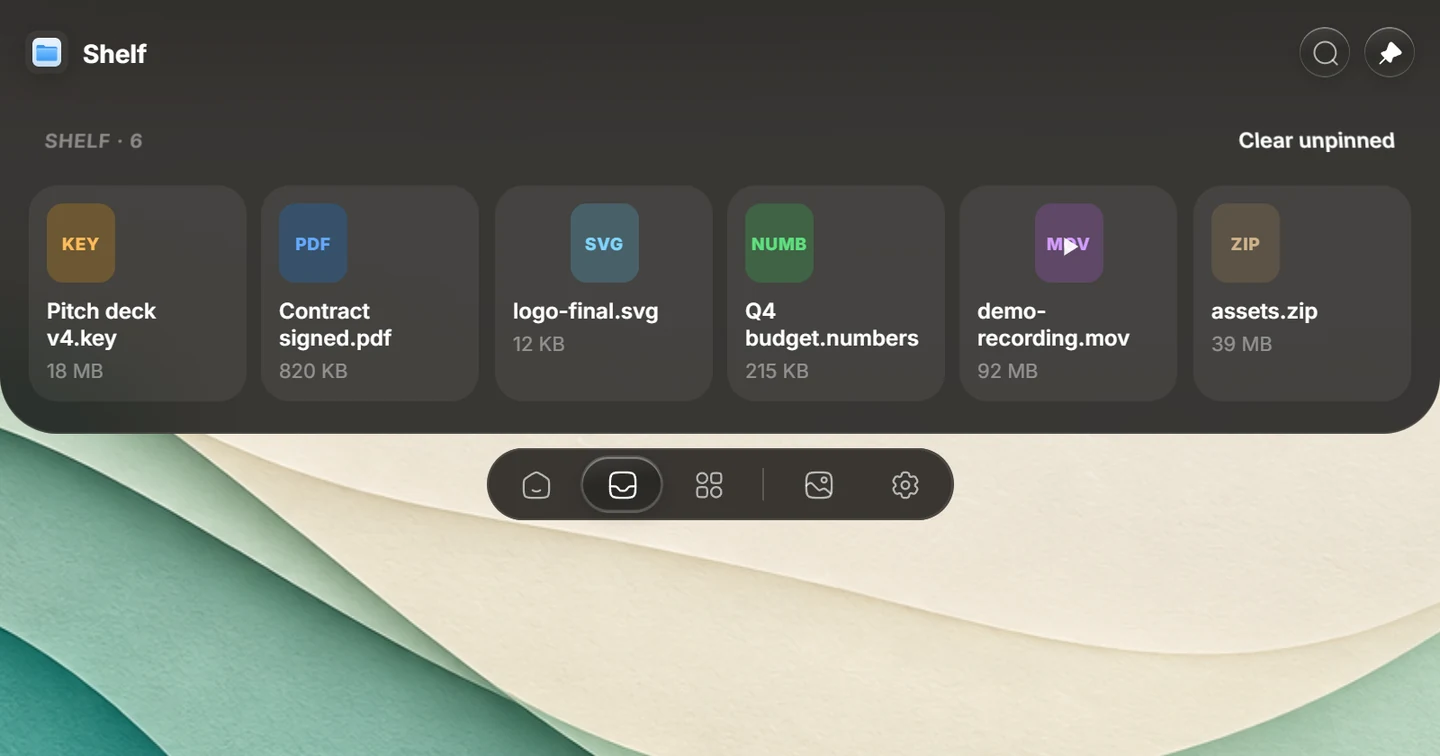
Keep files ready for your next task
Drag a file from File Explorer to the Shelf, pin it for later, then drag it into the app where you need it. Watched folders can bring new files into the Shelf. Open Transform from a file action for supported conversion, compression or background removal; these operations run on your PC. Cloud sharing is a separate action that sends the selected file to the service you choose.
Find something you copied earlier
Search clipboard history for copied text, images and files. Windows users can import history from Win+V or Ditto. The Clipboard guide covers search, pinning and the available actions.
Follow coding agents while you work elsewhere
See activity from supported agents such as Claude Code, Codex and Cursor at the top of the screen. Open the Agent tab for sessions and permission requests. Each agent uses your own configured sign-in; its subscription and usage are separate from Syllo. See agent setup and supported workflows.
Built around Windows workflows
- Now Playing: music and playback controls from Windows media sessions, including supported browser players. The available buttons depend on the player.
- Discord presence: share what you are listening to, with artwork and playback time.
- Several monitors: show the notch on the main display or every display, and use Window Snap to arrange windows.
- Full-screen apps: the notch hides in full-screen apps by default; choose additional apps where it should stay hidden.
- Mouse and keyboard: optional smooth scrolling and keyboard sounds are in Settings.
For individual controls and shortcuts, read the Windows setup guide.
Check your PC before downloading
| Requirement | Windows support |
|---|---|
| Operating system | Windows 10 or Windows 11 |
| Processor | x64 Intel or AMD. Windows on Arm and Snapdragon PCs are unsupported. |
| Display | A laptop screen or desktop monitor, with or without a notch |
| WebView2 | The installer adds Microsoft Edge WebView2 if it is missing. |
| Account | A Syllo account and a paid plan, on one computer at a time |
The installer is not code-signed with a Microsoft certificate yet. The Download page explains the first-run prompt and how to verify the installer's checksum.
Get started on Windows
- Download the Windows x64 installer and follow the installation steps.
- Sign in to your Syllo account and choose a plan if you need one.
- Open Settings to choose tabs, display placement and shortcuts. Start with music or drag a file onto the Shelf.
Every plan includes all tools and updates: $4.99 a month, $25 every 6 months or $50 a year. Downloading the installer is free; using the app requires a plan. Your first payment can be refunded within 14 days under the refund policy.
Shopping around? Compare the Dynamic Island and notch apps for Windows. Also use a Mac? See Syllo for Apple Silicon Macs; the same account works on one computer at a time.
Questions
Does Syllo work on Windows 10?
Yes. Syllo runs on 64-bit Windows 10 and Windows 11 on x64 Intel or AMD PCs.
Do I need a laptop with a physical notch?
No. Syllo draws its own notch on your screen. It works on Windows laptops and desktop monitors without a camera cutout.
Does Syllo support Windows on Arm?
No. There is no Windows on Arm build. Snapdragon PCs are unsupported.
Is Syllo free to use on Windows?
Downloading is free, but a paid plan is required to use Syllo. Plans cost $4.99 a month, $25 every 6 months or $50 a year, with a 14-day refund on the first payment.
Product details reviewed for Syllo 1.2.0 on . Interface previews use sample data.
Dynamic Island and macOS are Apple trademarks; Windows is a Microsoft trademark. Syllo is an independent desktop app.