Choose a comparison
- Best Dynamic Island and notch apps for Windows
- Best Dynamic Island and notch apps for Mac
- Droppy alternative: Syllo for Windows and Mac
- NotchNook alternative: Syllo compared
- Boring Notch alternative: Syllo compared
- Alcove alternative: Syllo for Windows and Mac
- DynamicLake alternative: Syllo compared
- Raycast alternative: Syllo for Windows and Mac
- Tinycast alternative: Syllo compared
For the Mac
| App | Runs on | Price | Known for |
|---|---|---|---|
| Syllo | Apple Silicon | $4.99/month, $25/6 months or $50/year | Files, conversion, clipboard, capture and agents, on Mac and Windows |
| Droppy | macOS 14+ | $9.99 once, two Macs | File shelf, clipboard, conversion, agents and droplets |
| NotchNook | macOS 14.6+ | Paid; see current plans | Files, music, calendar, webcam mirror and AI agents |
| Boring Notch | macOS 14+ | Free, open source | Music, calendar, shelf |
| Alcove | macOS 15+ | One-time; see current price | Live activities, gestures and HUDs |
| DynamicLake Pro | Mac; see current requirements | Paid; see current plans | Media, calendar, weather, file actions and plugins |
| Atoll | Notched MacBooks | Free, open source | Media, system stats, clipboard |
For Windows
| App | Runs on | Price | Known for |
|---|---|---|---|
| Syllo | Windows 10 and 11, x64 | $4.99/month, $25/6 months or $50/year | Music, file shelf and conversion, clipboard, capture, agents |
| Notchify | Windows 10 and 11 | Microsoft Store, free trial | Music, notifications, clipboard, file tray and widgets |
| DockBar | Windows | Paid; see Steam price | Modular widget bar |
Syllo workflows and tradeoffs
Start with a task you repeat, then compare how each app handles it. In Syllo, drag a file to the Shelf, pin it while you work and drag it into the next app. For a coding session, open the Agent tab and follow a supported agent using your own account. For music, check your actual player and the controls it exposes.
These are documented Syllo workflows. A shared feature name does not establish that another app handles the task in the same way. Read the individual comparisons for source links, hardware requirements and reasons to choose each option.
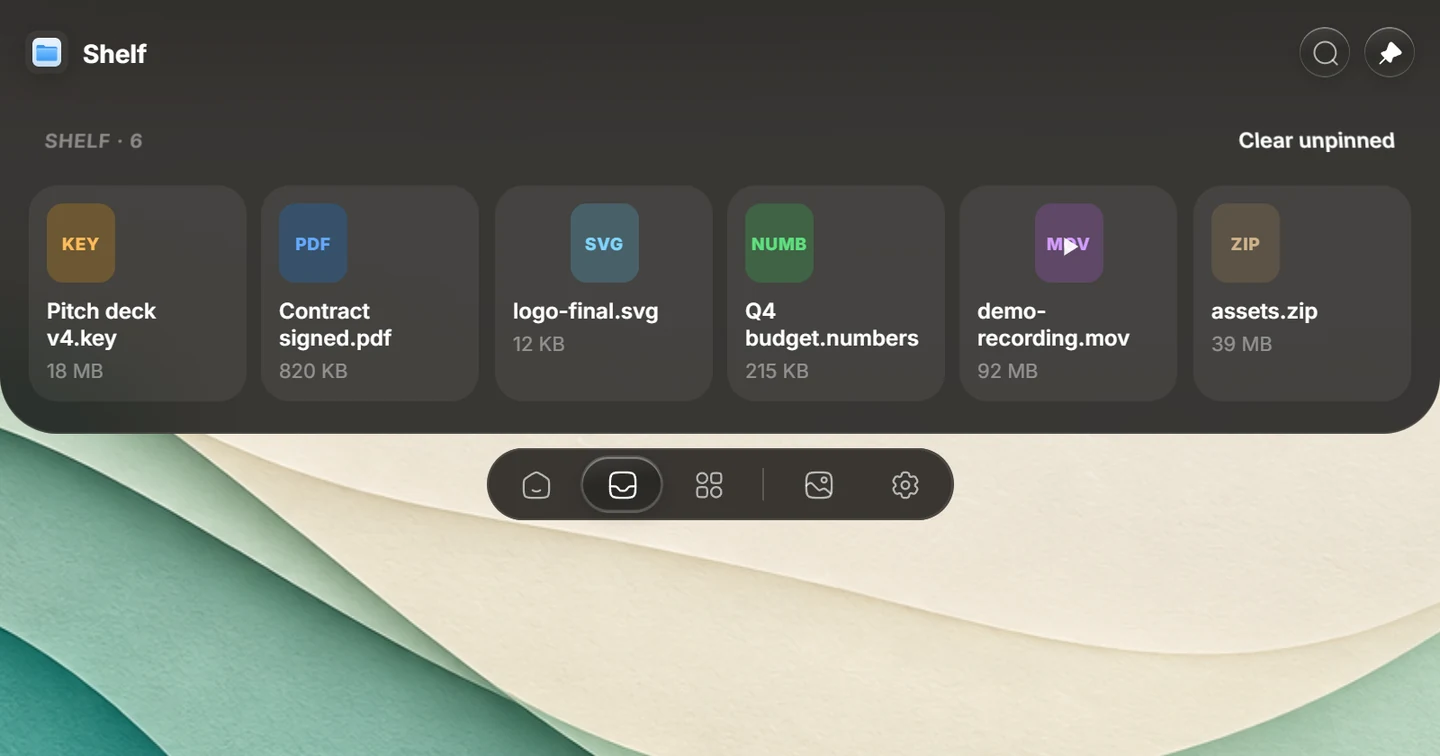
Explore Syllo for Windows or Syllo for Mac for platform features, requirements and downloads.
How to choose
- You use both Windows and a Mac: Syllo runs on both with one account, one computer at a time.
- You want free and open source on a Mac: Boring Notch or Atoll.
- You want the iPhone look and animations: Alcove.
- You want a one-time Mac notch toolkit: Droppy.
- You want conversion, capture, clipboard and coding agents in the notch: Syllo.
- You have an Intel Mac: Syllo won't run on it. Check the others' requirements.
Questions
Which notch apps work on both Windows and Mac?
Syllo runs on 64-bit Windows and Apple Silicon Macs with the same account, one computer at a time. Check the platform column and publisher requirements for the other apps.
What's the best free notch app for Mac?
Boring Notch and Atoll are free and open source. Syllo is paid, at $4.99 a month, $25 every 6 months or $50 a year.
Sources and scope
Written by Ray, the developer of Syllo. Syllo workflow descriptions cover version 1.2.0. Interface previews are rendered from the app with sample data and macOS styling. This compares published specifications, not measured performance or hands-on tests of every app. Publisher sources were checked on . Prices, trials and supported hardware can change; confirm them with the publisher before buying.
- Droppy: product, price model and supported platform
- NotchNook: current features and plans
- Boring Notch: project and system requirements
- Alcove: product and current purchase price
- DynamicLake: product and current plans
- Atoll: project and system requirements
- Notchify: Windows features and trial
- DockBar: publisher listing and system requirements
- Syllo pricing and supported installers
Next steps
Download Syllo, check plans and pricing, or read the installation guide.