More to do from your MacBook notch
Keep the notch small while you work, then open it for your files, clipboard, notes, calendar, capture tools and coding agents. Choose which tabs appear and how the panel looks in Settings.
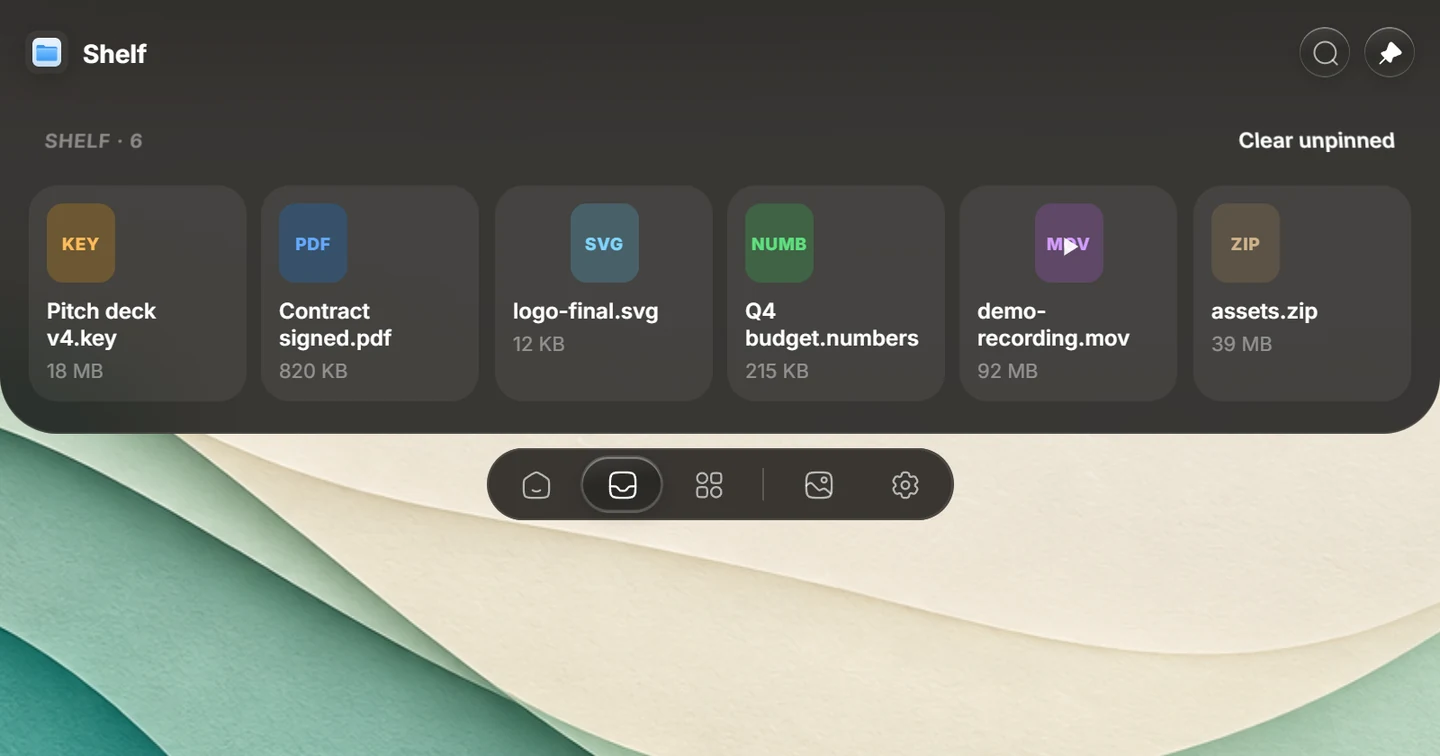
A file shelf between Finder and your next app
Drop a file from Finder onto the Shelf, pin it while you work, then drag it into another app. Watched folders can keep new files nearby. Transform handles supported conversion, compression and background removal on your Mac. Files leave your computer when you explicitly choose a sharing action, such as Google Drive, Dropbox or LocalSend.
Music controls and Mac system controls
Now Playing keeps supported music apps close without switching windows. Mac-specific features include volume and brightness HUDs, keyboard-backlight controls, and lock-screen music controls. Apple Music has artwork and format information where available. See the Now Playing guide for player differences.
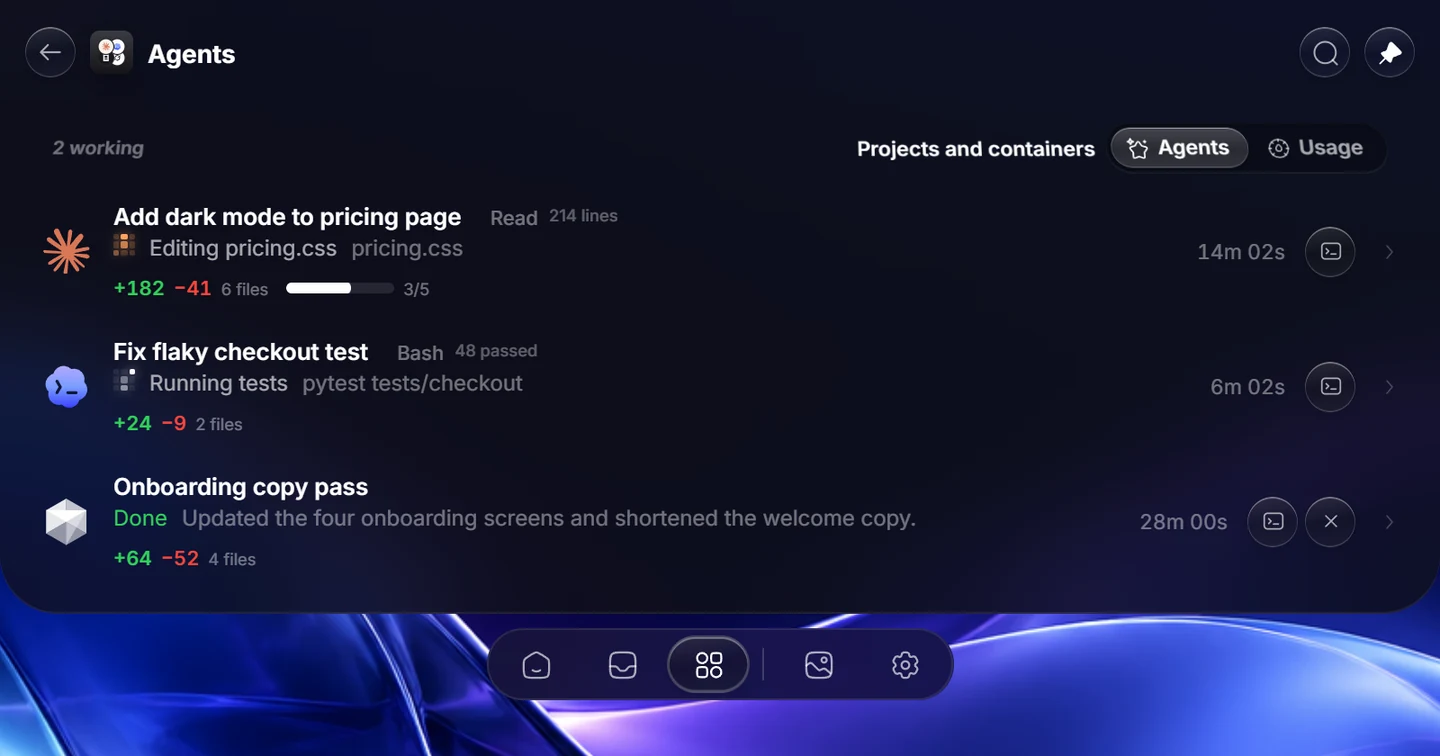
Coding sessions at a glance
Follow supported agents such as Claude Code, Codex and Cursor, open a session when it needs attention, and handle supported permission requests. You use your own agent accounts and plans. The Agent guide covers setup and integrations.
Mac integrations also include Apple Calendar and iMessage. Their setup and permissions are covered in the macOS guide.
Which Macs and displays work?
| Your Mac or display | Syllo support |
|---|---|
| Apple Silicon MacBook | M1 or later, including models with a camera notch |
| Mac mini, iMac or Mac Studio | Apple Silicon models; Syllo draws a software notch |
| External monitor | Syllo can draw a notch without a physical cutout. |
| Intel Mac | Unsupported; no Intel build is available. |
| Account | A Syllo account and a paid plan, on one computer at a time |
Native appearance and individual features depend on macOS and the permissions you allow. Recording your camera or Mac audio alongside the screen requires macOS 13 or later. The Download page and Mac guide explain requirements and setup.
Install Syllo on your Mac
- Download the Apple Silicon .dmg, open it and drag Syllo into Applications.
- Follow the Mac installation steps on the Download page, then sign in to your account.
- Choose your tabs and allow the permissions needed for the tools you use, such as Screen Recording for capture and Accessibility for window controls.
Syllo is not notarized by Apple yet, so macOS asks before the first launch. The installation and checksum instructions explain how to check the file before opening it.
Plans and tradeoffs
All tools and updates are included at $4.99 a month, $25 every 6 months or $50 a year. Downloading is free; a plan is needed to use the app. Your first payment is eligible for a refund within 14 days under the refund policy.
Syllo suits people who want several tools in the notch and also work on Windows. If you prefer a free, open-source app, a one-time purchase or support for Intel Macs, compare the other Mac notch apps before choosing. Syllo has built-in tools and integrations rather than a third-party extension store.
On a PC as well? See Dynamic Island for Windows. Your Syllo account works on either supported platform, one computer at a time. The account does not synchronize all of your local files and settings between computers.
Questions
Does Syllo need a MacBook with a notch?
No. On a MacBook with a camera cutout, Syllo fits around it. On supported Macs and external displays without a cutout, it draws its own software notch.
Can I use Syllo on an Intel Mac?
No. Syllo requires an Apple Silicon Mac, M1 or later. There is no Intel build.
Is Syllo a free Mac notch app?
No. Plans start at $4.99 a month and include all tools and updates. The first payment is eligible for a refund within 14 days.
Can I use the same Syllo account on Windows and Mac?
Yes. The same account works on Windows 10 and 11 x64 and Apple Silicon Macs, one computer at a time. Simultaneous use on two computers is not included.
Product details reviewed for Syllo 1.2.0 on . Interface previews use sample data.
Dynamic Island and macOS are Apple trademarks; Windows is a Microsoft trademark. Syllo is an independent desktop app.