
At a glance
| Syllo | Alcove | |
|---|---|---|
| Runs on | Windows 10 and 11 (x64) and Apple Silicon Macs | Mac (macOS 15 or later) |
| Price | $4.99 a month, $25 for 6 months or $50 a year | One-time; see current price |
| Known for | Files and conversion, clipboard, capture, notes and coding agents in the notch | Fluid live activities, notifications, custom HUDs, gestures and lock screen widgets |
Syllo workflows and tradeoffs
If your reason for opening the notch is a coding task, Syllo's Agent tab shows supported sessions and permission requests using your own agent account. If it is a file task, the Shelf keeps files nearby and opens supported local Transform actions. The Agent and Shelf guides cover setup.
Alcove's published focus is live activities, swipe gestures, notifications and customizable HUDs. Those can be the better fit if the interaction and system overlay are what you want. Syllo adds a Windows x64 build and a broader set of built-in workflows, with a recurring plan and no Intel Mac build.
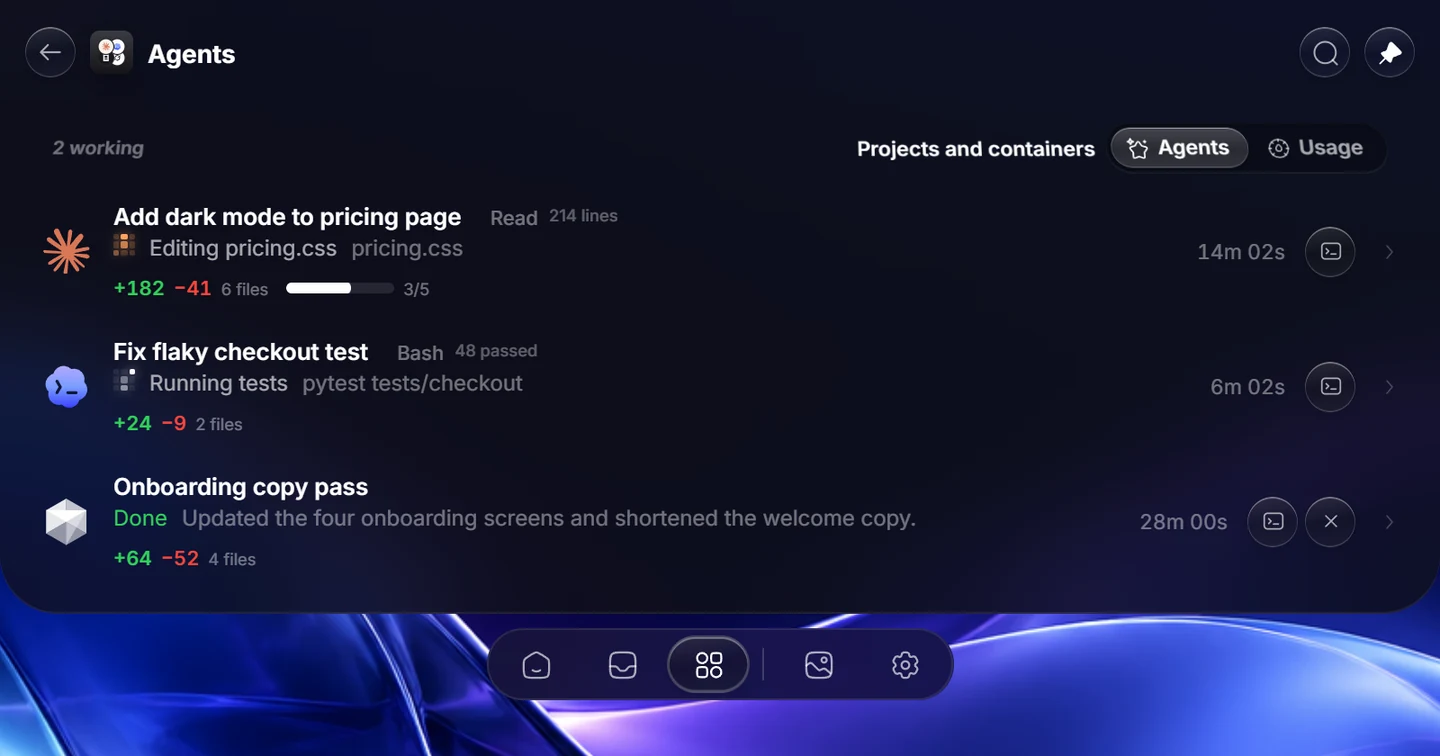
Explore Syllo for Windows or Syllo for Mac for platform features, requirements and downloads.
Which to choose
Alcove may suit you better if:
- You want live activities, gestures and customizable HUDs.
- You want a one-time price for the Mac only.
Syllo may suit you better if:
- You also use a Windows PC.
- You want the notch to hold files, convert them and keep your clipboard.
- You want capture, Studio and coding agents in the same place.
Switching to Syllo
- Quit Alcove first, so only one app uses the notch.
- Install Syllo from the Download page and sign in.
- Pick your tabs, Home tiles and drop tiles in Settings, and import your clipboard history in Settings → Clipboard.
Questions
Is there an Alcove for Windows?
Alcove's site lists it for the Mac only. Syllo adds a Dynamic Island-style notch to Windows PCs, and runs on the Mac too.
Sources and scope
Written by Ray, the developer of Syllo. Syllo workflow descriptions cover version 1.2.0. Interface previews are rendered from the app with sample data and macOS styling. This compares published specifications, not measured performance or hands-on tests of every app. Publisher sources were checked on . Prices, trials and supported hardware can change; confirm them with the publisher before buying.
Next steps
Download Syllo, check plans and pricing, or read the installation guide.