At a glance
| Syllo | Boring Notch | |
|---|---|---|
| Runs on | Windows 10 and 11 (x64) and Apple Silicon Macs | Mac (macOS 14 or later) |
| Price | $4.99 a month, $25 for 6 months or $50 a year | Free and open source (GPL-3.0) |
| Known for | Files and conversion, clipboard, capture, notes and coding agents in the notch | Music controls with a visualizer, a calendar and a file shelf with AirDrop |
Syllo workflows and tradeoffs
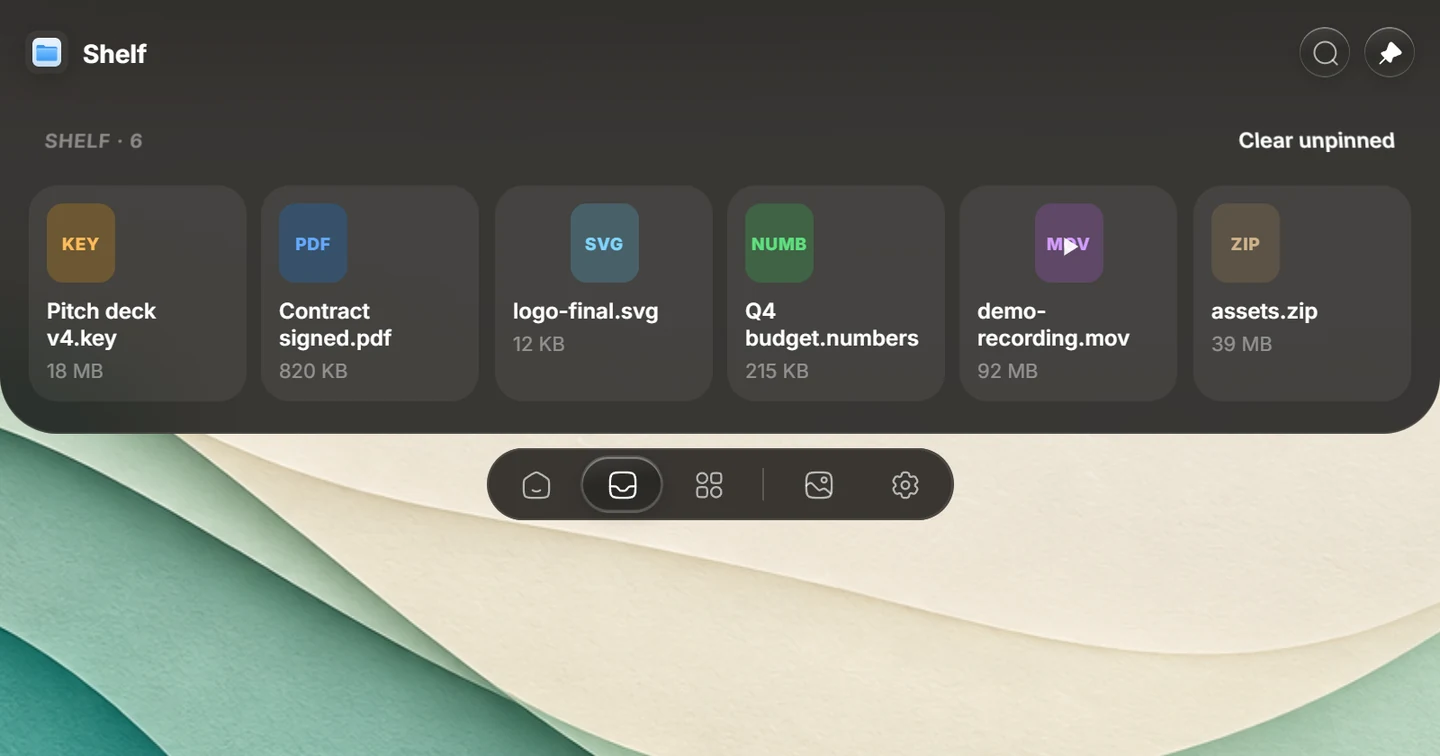
Try the task you want the notch to handle: drop a file onto Syllo's Shelf, pin it, then open Transform for supported conversion or compression before dragging the result into your next app. The Shelf and Transform guides explain those steps.
Boring Notch's free, open-source music, calendar and shelf features may already cover your needs. Syllo is a paid option when its capture, conversion, clipboard and supported coding-agent workflows are useful to you, or when you also work on Windows. Syllo's source and subscription model differ from an open-source utility, and it has no Intel Mac build.
Explore Syllo for Windows or Syllo for Mac for platform features, requirements and downloads.
Which to choose
Boring Notch may suit you better if:
- You want a free, open-source app.
- Music, calendar and a shelf are all you need.
- You have an Intel Mac.
Syllo may suit you better if:
- You also use a Windows PC.
- You want Transform, the clipboard history, capture and Studio.
- You want coding agents and MCP in the notch.
Switching to Syllo
- Quit Boring Notch first, so only one app uses the notch.
- Install Syllo from the Download page and sign in.
- Pick your tabs, Home tiles and drop tiles in Settings, and import your clipboard history in Settings → Clipboard.
Questions
Is Boring Notch free?
Yes. Boring Notch is free and open source. Syllo is a subscription at $4.99 a month, $25 every 6 months or $50 a year.
Sources and scope
Written by Ray, the developer of Syllo. Syllo workflow descriptions cover version 1.2.0. Interface previews are rendered from the app with sample data and macOS styling. This compares published specifications, not measured performance or hands-on tests of every app. Publisher sources were checked on . Prices, trials and supported hardware can change; confirm them with the publisher before buying.
Next steps
Download Syllo, check plans and pricing, or read the installation guide.