
At a glance
| Syllo | Droppy | |
|---|---|---|
| Runs on | Windows 10 and 11 (x64) and Apple Silicon Macs | Mac (macOS 14 or later) |
| Price | $4.99 a month, $25 for 6 months or $50 a year | $9.99 once, for two Macs, with a 3-day trial |
| Known for | Files and conversion, clipboard, capture, notes and coding agents in the notch | File shelf, clipboard, music, file conversion, coding-agent activities and droplets |
Droppy also offers file conversion, coding-agent live activities and an MCP droplet. These features overlap with Syllo; compare the actual tools and supported agents you need rather than assuming they are exclusive.
Syllo workflows and tradeoffs
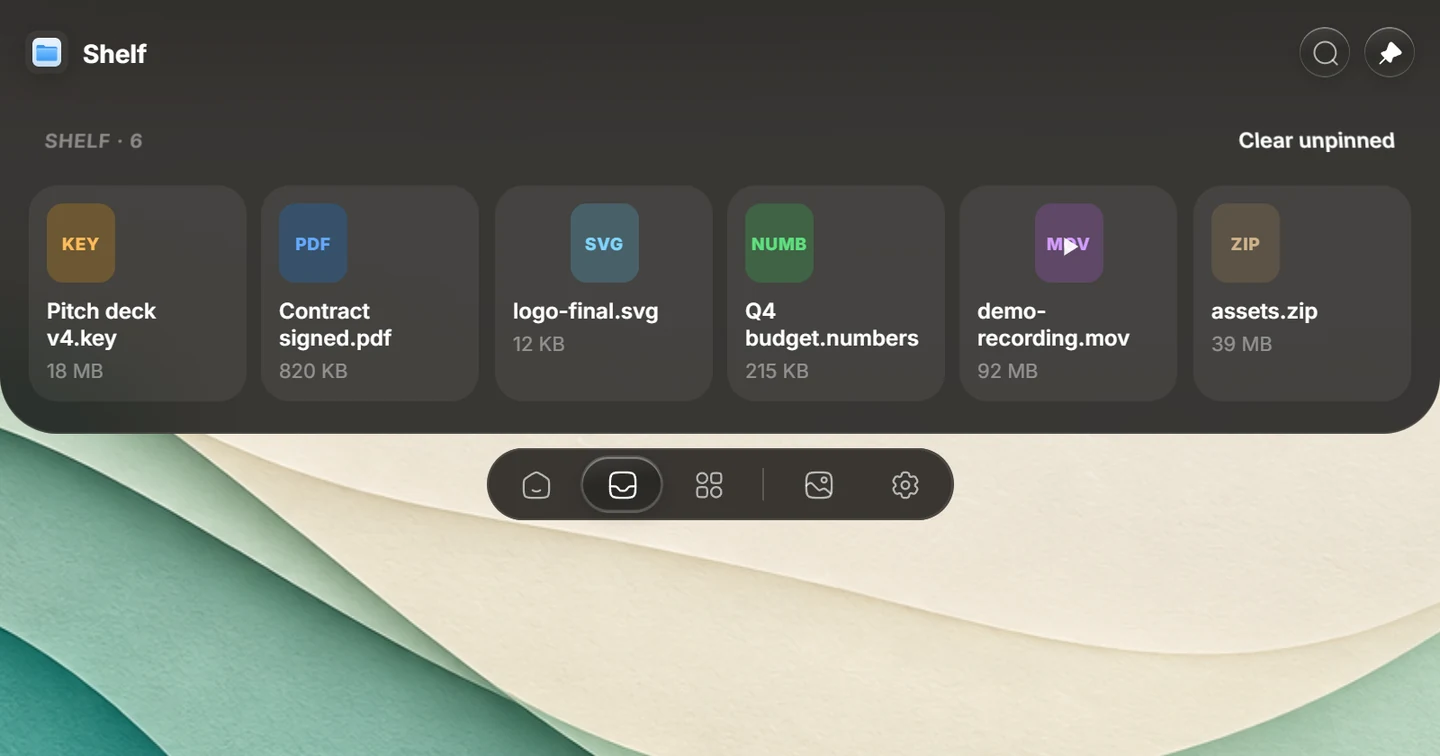
For a file you need in several apps, drag it onto Syllo's Shelf, pin it for the task, then drag it into the next app. Transform opens supported conversion and compression actions on your computer. The Shelf and Transform guides explain the available actions.
Droppy publishes file conversion, agents and MCP as well as a shelf and clipboard. The useful distinction is your supported platform, the exact integrations you need and the price model. Syllo covers Windows x64 and Apple Silicon with one account, used on one computer at a time; it is a subscription and does not provide Droppy's droplet ecosystem.
Explore Syllo for Windows or Syllo for Mac for platform features, requirements and downloads.
Which to choose
Droppy may suit you better if:
- You only use a Mac and want to pay once. Droppy is $9.99 for two Macs.
- You want its iPhone companion app.
- You have an Intel Mac.
Syllo may suit you better if:
- You also use a Windows PC.
- You want Transform to convert and compress files from the same drop.
- You want scrolling screenshots, Studio and coding-agent requests in the notch.
Switching to Syllo
- Quit Droppy first, so only one app uses the notch.
- Install Syllo from the Download page and sign in.
- Pick your tabs, Home tiles and drop tiles in Settings, and import your clipboard history in Settings → Clipboard.
Questions
Is there a Droppy for Windows?
Droppy's site lists it for the Mac only. Syllo gives Windows a notch with a file shelf, clipboard history and Now Playing, and runs on the Mac too.
Sources and scope
Written by Ray, the developer of Syllo. Syllo workflow descriptions cover version 1.2.0. Interface previews are rendered from the app with sample data and macOS styling. This compares published specifications, not measured performance or hands-on tests of every app. Publisher sources were checked on . Prices, trials and supported hardware can change; confirm them with the publisher before buying.
Next steps
Download Syllo, check plans and pricing, or read the installation guide.