
At a glance
| Tinycast | Syllo | |
|---|---|---|
| Runs on | macOS 26 or later, Apple Silicon and Intel, according to its site | Windows 10 and 11 (x64) and Apple Silicon Macs |
| Interface | A native launcher palette | A launcher plus the notch and floating tools |
| Extensions | Raycast extension support, with compatibility notes in its docs | Built-in tools and supported integrations |
| Price | Free and open source | $4.99 a month, $25 for 6 months or $50 a year |
Syllo workflows and tradeoffs
In Syllo, open the launcher to find apps, files, settings, notes and clipboard items, then use the Shelf or capture tools from the same notch. Supported coding agents use your own configured account. The launcher guide and Agent guide explain those workflows.
Tinycast is a free, open-source Mac launcher with clipboard, window and extension features of its own. Syllo is a paid notch toolkit with a Windows x64 build as well as Apple Silicon support. It does not import Tinycast or Raycast extensions; if an extension is essential, check compatibility before changing launchers.
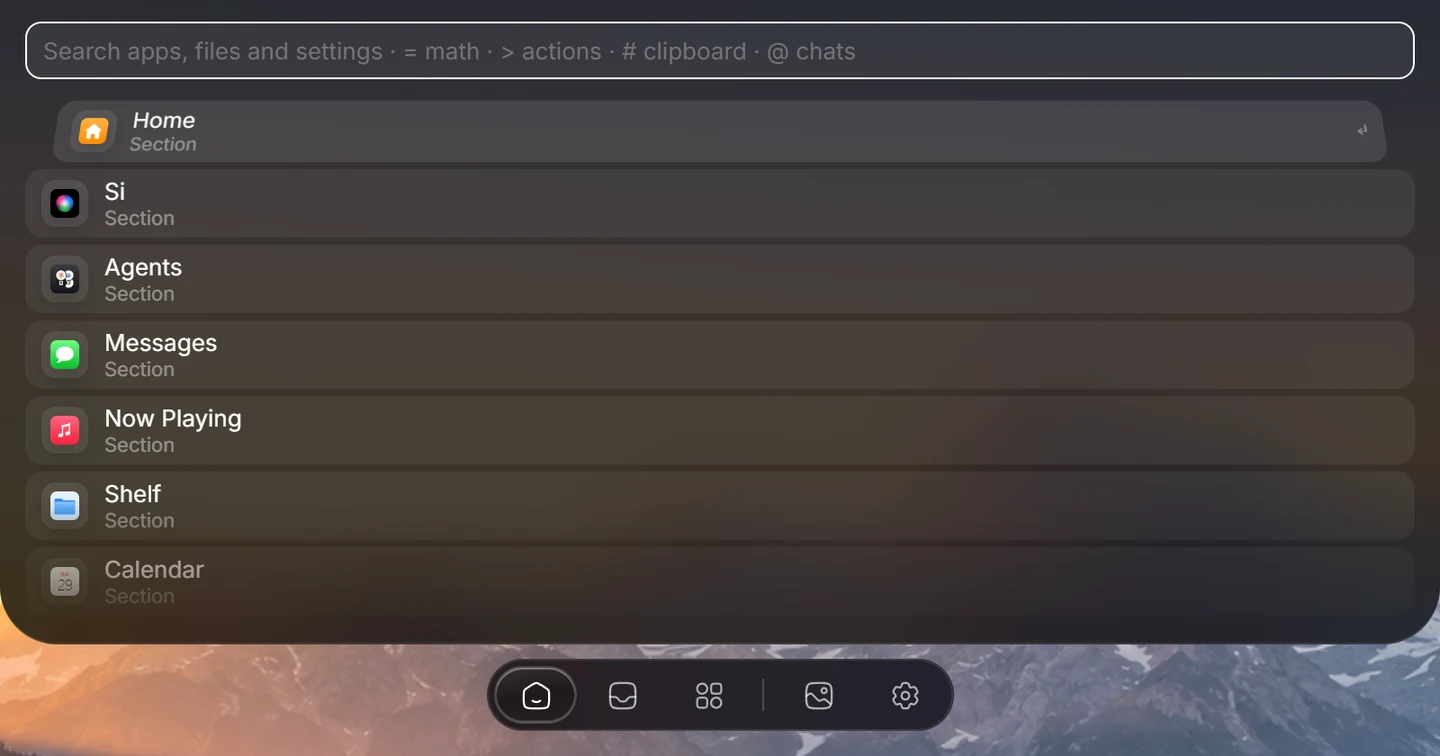
Explore Syllo for Windows or Syllo for Mac for platform features, requirements and downloads.
Which to choose
- For a free launcher on a Mac, including an Intel Mac, Tinycast already does the job.
- For Windows, or for a launcher that works with a file shelf, capture and coding agents, try Syllo.
Questions
Is there a Tinycast alternative for Windows?
Syllo has a Windows x64 build with a launcher, saved commands, clipboard history, Window Snap and an Agent tab. Tinycast is a macOS launcher.
Sources and scope
Written by Ray, the developer of Syllo. Syllo workflow descriptions cover version 1.2.0. Interface previews are rendered from the app with sample data and macOS styling. This compares published specifications, not measured performance or hands-on tests of every app. Publisher sources were checked on . Prices, trials and supported hardware can change; confirm them with the publisher before buying.
- Tinycast: supported Macs and license
- Tinycast: extension compatibility
- Syllo pricing and supported installers
Next steps
Download Syllo, check plans and pricing, or read the installation guide.